
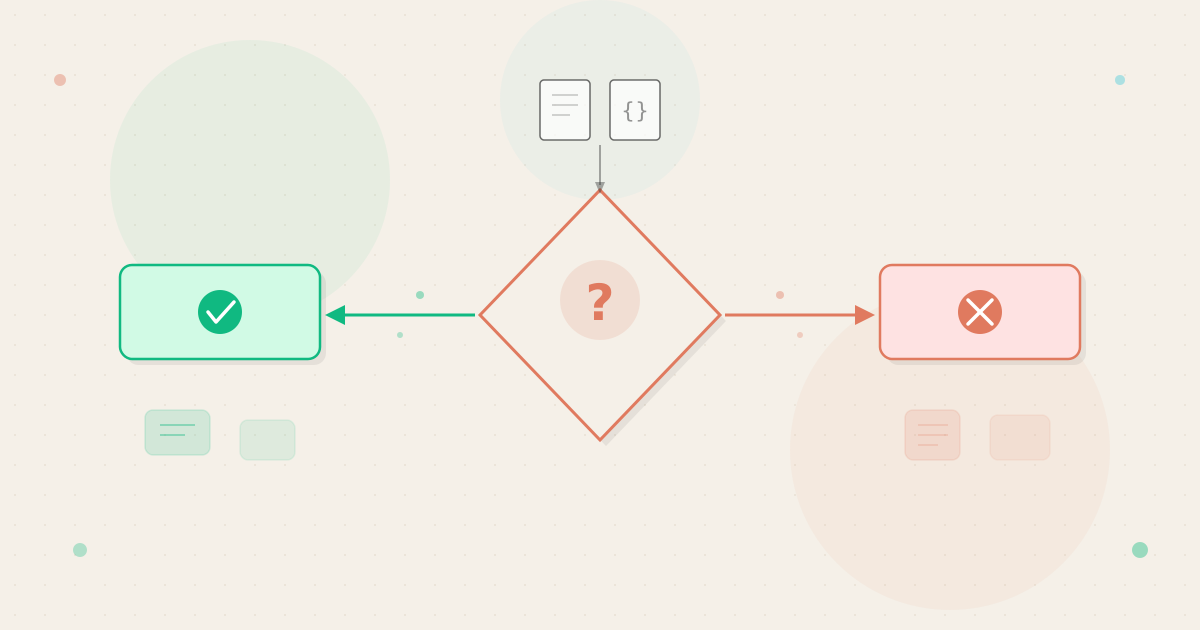
Large language models can write emails, analyze documents, generate code, and answer complex questions. They can also waste your time, produce wrong answers, and cost more than the problem is worth.
Knowing which tasks fit an LLM is one of the most practical skills for using LLMs effectively. Millions of people now have access to models like ChatGPT, Claude, and Gemini through free or low-cost plans. But access alone does not guarantee results.
Understanding where these tools shine and where they stumble will save you hours of trial and error.
Key Takeaways
What “When to Use an LLM” Really Means
LLM use case fit: How well a task’s requirements match a language model’s strengths, considering accuracy needs, speed, cost, and alternatives.
LLMs are prediction machines. They generate text by predicting the most likely next word based on patterns learned during training. This means they excel at tasks where “likely” and “correct” overlap, and they fail where those two things diverge.
A request like “rewrite this paragraph in a friendlier tone” plays to the model’s strength. The training data contains millions of examples of friendly writing. Predicting friendly-sounding text produces good results because the pattern itself is the answer.
A request like “what was our revenue last quarter” does not play to that strength. The model has no access to your company data. It will either refuse to answer or generate a plausible-sounding number that is completely fabricated.
This failure mode, known as hallucination, is one of the most common reasons people lose trust in LLMs.
The Pattern-Matching Mental Model
Think of LLMs as highly skilled pattern matchers, not knowledge databases. They recognize the shape of good writing, logical arguments, code structures, and conversational responses. They do not verify facts against a source of truth.
This distinction explains nearly every case where an LLM helps and every case where it fails. Tasks that rely on generating well-structured language tend to succeed. Tasks that require retrieving specific, verified information tend to fail, unless the information is provided directly in the prompt.
Understanding this pattern is more useful than memorizing a list of good and bad use cases. New applications appear constantly. The pattern helps you evaluate any task, including ones that did not exist six months ago.
According to OpenAI’s documentation on model concepts, these systems generate text by processing tokens within a limited context window. They are designed for language generation and analysis, not as deterministic databases, calculators, or search engines.
Where LLMs Add the Most Value
The strongest use cases share a few common traits. The task involves language. A human would need significant time to complete it.
The output benefits from iteration rather than demanding perfection on the first attempt. Writing drafts, summarizing long documents, brainstorming ideas, and explaining technical concepts in simpler terms all fit this profile. So do translating between languages, restructuring existing content, and generating text variations.
According to research published in Science, professionals using LLMs for writing tasks completed work roughly 40% faster with measurably higher quality.
Code generation is another area where LLMs perform well. Models like GPT-5.2 and Claude Opus 4.6 can write functional code from natural language descriptions and debug existing scripts. The output still needs review, but it dramatically reduces the time between idea and working prototype.
Data analysis also benefits when approached correctly. If you paste a dataset or table directly into the conversation, the model can identify patterns and draft narrative summaries.
The key is providing the data rather than asking the model to recall it from memory. Models perform best when the raw information sits inside the prompt itself.
How LLM Suitability Shows Up in Practice
The gap between good and bad LLM use cases is visible in everyday work.
A marketing manager who uses an LLM to draft ten variations of ad copy gets real value. The model produces options quickly, and the manager selects and refines the best ones. The total time drops from hours to minutes.
A financial analyst who asks an LLM to calculate a debt-to-equity ratio from a PDF faces a different outcome. The model might extract the right numbers, or it might misread a table and hallucinate figures that look plausible. A spreadsheet would complete the same calculation instantly, with guaranteed accuracy.
A teacher preparing lesson plans sees yet another pattern. The LLM drafts a week’s worth of activities in minutes. The teacher still reviews for age-appropriateness and curriculum alignment, but the drafting time drops from hours to a quick editing session.
Tasks That Benefit from LLMs
These categories consistently produce good results across ChatGPT, Claude, and Gemini:
- Drafting and rewriting: First drafts, tone adjustments, rephrasing. LLMs handle language transformation faster than most people type.
- Summarization: Condensing long documents, articles, or transcripts. Most models handle this well, especially within their context window.
- Brainstorming: Generating ideas, angles, titles, or approaches. The breadth of training data means LLMs surface connections humans might miss.
- Explanation and simplification: Translating jargon into plain language or adjusting complexity for different audiences.
- Code assistance: Writing boilerplate code, explaining errors, suggesting fixes, and converting between programming languages.
- Structured data extraction: Pulling names, dates, or categories from unstructured text when the source text is provided in the prompt.
Tasks Where LLMs Fall Short
These categories consistently produce unreliable or inefficient results:
- Precise calculations: Math errors are common, even for simple arithmetic. A calculator or spreadsheet is always more reliable.
- Real-time information: LLMs have training data cutoff dates and cannot access live data unless connected to search tools.
- Verifiable facts about obscure topics: The less a topic appears in training data, the more likely the model will fabricate details.
- Legal, medical, or financial advice: The stakes are too high for probabilistic outputs. Professional expertise is required.
- Tasks requiring source attribution: LLMs cannot reliably cite where they learned something, making them poor choices for academic research without verification.
- Repetitive structured tasks: Processing 10,000 spreadsheet rows is better handled by a script, a formula, or a database query.
Key Dimensions of LLM Task Suitability
Not every task falls neatly into “good fit” or “bad fit.” The table below breaks down the factors that determine whether an LLM adds value.
| Dimension | Favors LLM Use | Favors Traditional Tools |
|---|---|---|
| Output type | Prose, creative text, code | Numbers, structured data, binary answers |
| Accuracy requirement | Approximate is acceptable | Exact precision required |
| Source data | Provided in prompt or conversation | Stored in databases, spreadsheets, APIs |
| Volume | One-off or small batch | Thousands of repetitive operations |
| Speed need | Minutes acceptable | Millisecond response required |
| Verification effort | Easy to spot-check | Requires expert review to validate |
| Cost sensitivity | Low or moderate | Every fraction of a cent matters |
| Creativity needed | High | None (mechanical task) |
For most real tasks, several dimensions apply at once. An email draft scores well on output type, creativity, and verification effort. That combination makes it a strong LLM use case.
A database migration scores poorly on output type, accuracy requirement, and volume. Even though an LLM could write migration scripts, the risk of a single error in a production database makes it the wrong default tool.
The Cost-Benefit Calculation
Every LLM interaction has a cost, even on free plans. The cost includes your time writing the prompt, waiting for the response, and verifying the output. For paid API use, token-based pricing adds a direct financial cost.
A useful rule: if verifying the output takes longer than doing the task yourself, the LLM is not saving you time. Writing a 200-word email draft might take 3 minutes manually. Having an LLM draft it takes 30 seconds, but checking tone and facts adds another 90 seconds.
Net savings: about 1 minute. Worth it for frequent tasks, negligible for a one-off.
Contrast that with summarizing a 20-page report. Doing it manually takes 30-45 minutes, while an LLM produces a reasonable summary in seconds. The net savings of 20-30 minutes make this a clear win.
When LLMs Help and When They Hurt
Strengths You Can Rely On
LLMs consistently perform well across three broad areas.
First, language transformation. Any task that involves taking text in one form and converting it to another plays directly to how these models work. This includes tone shifts, format changes, translations, and simplifications.
The training data is rich with examples of each form, so the model’s predictions align with what you need.
Second, creative generation within constraints. Need ten email subject lines, five blog post angles, or three ways to explain a concept? LLMs generate diverse options quickly.
The results are not always brilliant, but they provide raw material that is faster to refine than to create from scratch.
Third, knowledge synthesis from provided context. When you paste a document or dataset into the prompt, the model can analyze and summarize it well. This works because the model processes the information you gave it, rather than recalling from memory.
Modern models with large context windows handle documents up to 100,000 words or more in a single prompt.
Limitations That Catch People Off Guard
The most dangerous limitation is confidence without accuracy. LLMs present all outputs with the same tone, whether the answer is correct or fabricated. Anthropic’s documentation on reducing hallucinations explicitly warns that the model may produce incorrect information.
For tasks involving factual claims, dates, or technical specifications, you must verify every important detail independently. The model might get 90% right and bury the errors in the remaining 10%, where they are hardest to catch.
Another limitation is inconsistency. Ask the same question twice, and you might get different answers. This is a feature for creative tasks, where variety is useful.
It is a problem for tasks requiring reproducible results. Adjusting model settings like temperature can reduce this variation but not eliminate it entirely.
LLMs also struggle with tasks that require understanding consequences. They generate text that looks right but cannot evaluate whether following it would lead to a good outcome. A business strategy drafted by an LLM might read well while containing recommendations that would fail in your specific market.
Common Misunderstandings About LLM Use Cases
“LLMs Are Just Fancy Search Engines”
This is one of the most widespread misconceptions. Search engines retrieve existing documents. LLMs generate new text.
A search engine finds a specific article about Python error handling. An LLM writes a custom explanation of your specific error based on patterns from its training data.
The practical difference matters. If you need to find something that already exists, a search engine is faster and more accurate. If you need something new that does not exist yet, an LLM is the right tool.
“If It Gives a Wrong Answer, It’s Useless”
People who encounter a hallucination sometimes dismiss LLMs entirely. This misses the point. No tool is useful for every task.
The mistake is using an LLM for a task that requires factual precision without planning for verification. When used for drafting, brainstorming, or language work where you review the output, occasional errors are a minor inconvenience.
“Free Models Can Do Everything Paid Ones Can”
Free and paid LLM plans differ in message volume, model access, and features. For occasional use, free plans work fine. For daily professional use, the slower models and usage caps create real friction.
API pricing varies dramatically as well. Processing a 50-page document through GPT-5 nano costs a fraction of a cent, while the same document through Claude Opus 4.6 costs significantly more. Choosing the right model for each task can reduce costs by 90% or more.
“LLMs Will Replace Traditional Software”
Spreadsheets, databases, calculators, and project management tools each solve problems that LLMs handle poorly. A spreadsheet processes a formula across 50,000 rows instantly and perfectly. An LLM processing the same data would be slower, more expensive, and less accurate.
The real opportunity is using LLMs alongside traditional tools, not instead of them. Let the LLM draft the analysis narrative and let the spreadsheet do the calculations.
Good prompt engineering often involves preparing data in traditional tools first, then passing it to the LLM for language-heavy work. Automation platforms like Zapier and Make already connect LLMs to spreadsheets and email in exactly this way.
A Simple Decision Framework
Before reaching for an LLM, run through these four questions:
- Is this a language task? If the core work involves generating, transforming, or analyzing text, an LLM is likely a good fit. If the core work is numerical or retrieval-based, a traditional tool is probably better.
- Can I verify the output quickly? If you can read the output and spot errors in a few minutes, the LLM is a safe choice. If verifying takes longer than doing the task manually, reconsider.
- What happens if the output is wrong? A bad first draft gets rewritten. A bad legal clause creates liability. High-stakes outputs need human review regardless of the tool used.
- Is there a simpler tool that does this faster? A calculator beats an LLM for math. A search engine beats an LLM for finding specific websites. Reach for the simplest tool that does the job.

Never use LLM outputs as final answers for medical diagnoses, legal contracts, financial reporting, or safety-critical engineering. These domains require verified expertise and carry liability that probabilistic text generation cannot satisfy.
This framework scales with experience. Early on, most of your tasks will pass all four checks easily. Over time, you will develop an intuition for the boundary cases where the answers become less clear.
Google’s responsible AI guidance for generative models recommends similar evaluation steps. Their documentation emphasizes assessing use case risk before relying on model output.
Start with low-risk tasks to build intuition. Draft emails, summarize meetings, or brainstorm ideas before relying on an LLM for client-facing work or important decisions.
Making the Right Call
Knowing when to use an LLM is as important as knowing how to use one. The most productive users are not the ones who use LLMs for everything. They match each task to the right tool.
Language-heavy work with room for iteration belongs in an LLM. Precise calculations, real-time data, and high-stakes decisions belong in specialized tools with human oversight. The boundary between these categories is not always obvious, but the four-question framework provides a reliable starting point.
The decision framework above works for any new task, even ones that do not exist yet. As models improve and context windows expand, the range of viable use cases will grow. But the core question stays the same: does this task match what the model actually does well?
Start with tasks where the answer is obvious, like drafting and summarizing. Build confidence there. Then gradually test the boundaries, using the four-question framework to decide which model fits each new challenge.
Frequently Asked Questions


