
Best LLM for Writing
 Stojan Trajkovikj
Models tested
Claude Opus 5.5 ChatGPT GPT-6 Sol Gemini 3.8 Flash
Last tested
October 8, 2026
Task category
Writing
Prompts × models
8 prompts × 3 models = 24 outputs
Scoring
Blind · 1–5 on 5 criteria
Web search
On
Top performer
Claude · 4.8 / 5
Best value
ChatGPT · 96% of the top score at ~26% of the cost
Every output is public Raw model outputs and scores from every test date are published on GitHub, so you can check any number on this page.
View raw dataOn October 8, 2026, we gave ChatGPT, Claude and Gemini the same eight writing tasks, from a blog intro to landing-page copy. Every answer was scored blind on five criteria, before we knew which model wrote it. Our ChatGPT guide, Claude guide and Gemini guide cover each assistant beyond this test.
Claude scored highest at 4.8 out of 5, ahead of ChatGPT at 4.6 and Gemini at 4.1. Claude won 4 of the 8 prompts. For factors this test doesn’t measure, read our best LLM for writing comparison.
ClaudeOpus 5.5
ChatGPTGPT-6 Sol
Gemini3.8 Flash
Average score out of 5 across all 8 prompts.
Best value: ChatGPT. It reached 96% of Claude’s score for about 26% of the cost. See how we calculate cost →
Highest score
for the highest overall score. It won 4 of 8 prompts and averaged 5.0 on clarity. Six answers had notes around the text to delete.
Best value
when cost matters. It scored 4.6, close to Claude’s 4.8, at 26% of the cost, won the board summary prompt and was the only model with a perfect 5.0 on accuracy.
Won product description
for copy like our headphone description, the one prompt it won, with a perfect 5.0. Check its numbers: three answers included figures or offers with no source.
Each prompt went into a fresh chat on a paid plan, with web search on and memory, chat history, custom instructions and connected apps off. Every score was checked and approved by a human reviewer against our published rubric, without knowing which model wrote the answer. We revealed the model names only after scoring. Full methodology →
| Setting | Claude | ChatGPT | Gemini |
|---|---|---|---|
| Exact version | Opus 5.5 | GPT-6 Sol | 3.8 Flash |
| Plan | Claude Max | ChatGPT Plus | Google AI Pro |
| App | claude.ai | chatgpt.com | gemini.google.com |
| Web search | On | ||
| Settings | Fresh chat · memory, chat history, custom instructions and connected apps off | ||
| Test date | October 8, 2026 | ||
8 tasks, each testing a different skill. We use exactly the same wording every time we retest.
Write a 150-word introduction for a blog post about remote work productivity. The audience is mid-career professionals who transitioned to remote work in the last 2 years. Tone should be confident but not preachy. Include at least one data point or statistic. End with a clear promise of what the reader will learn.
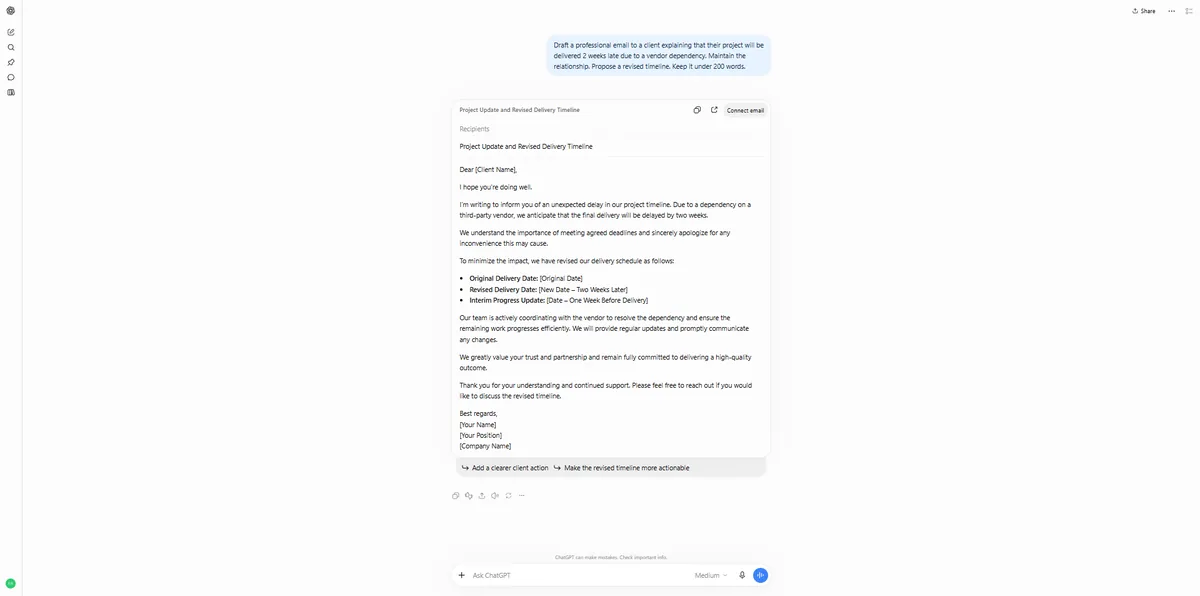
Draft a professional email to a client explaining that their project will be delivered 2 weeks late due to a vendor dependency. Maintain the relationship. Propose a revised timeline. Keep it under 200 words.
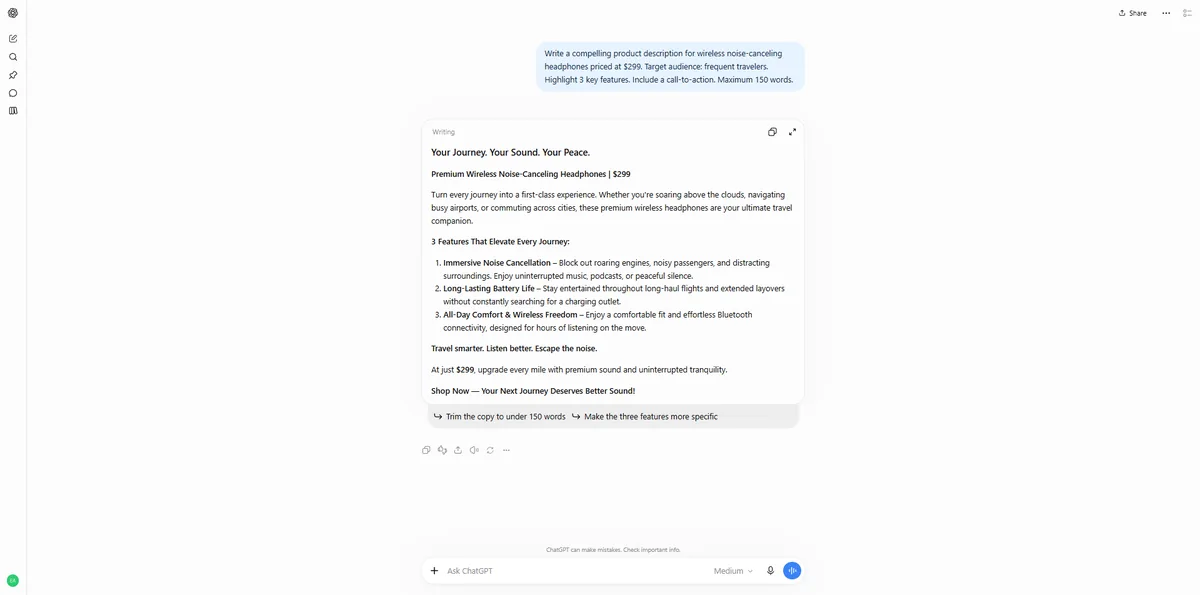
Write a compelling product description for wireless noise-canceling headphones priced at $299. Target audience: frequent travelers. Highlight 3 key features. Include a call-to-action. Maximum 150 words.
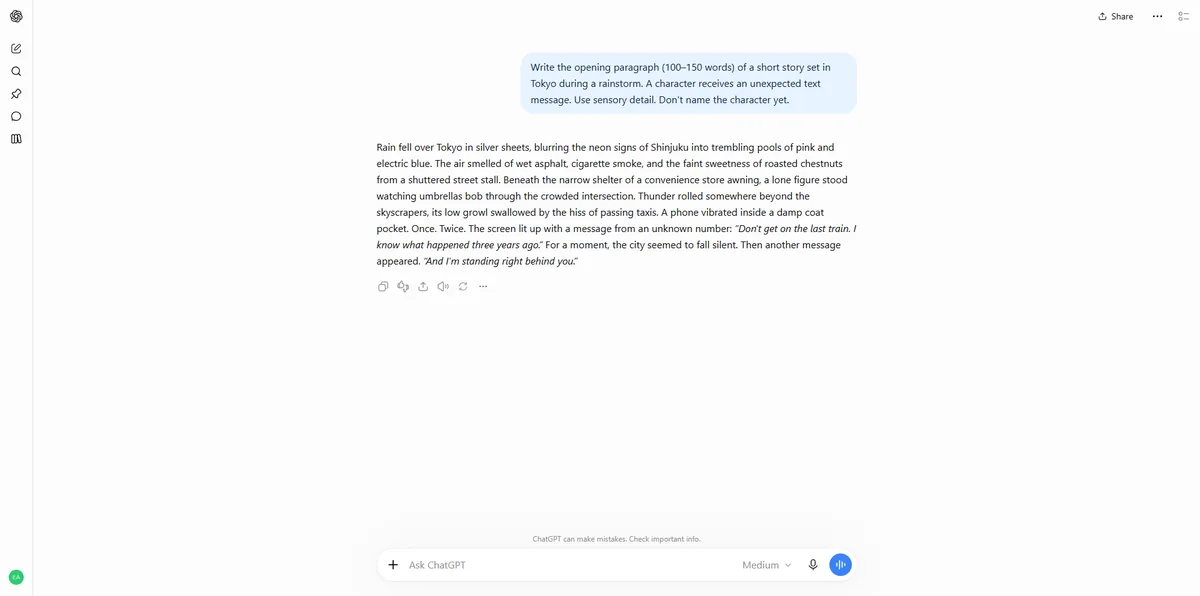
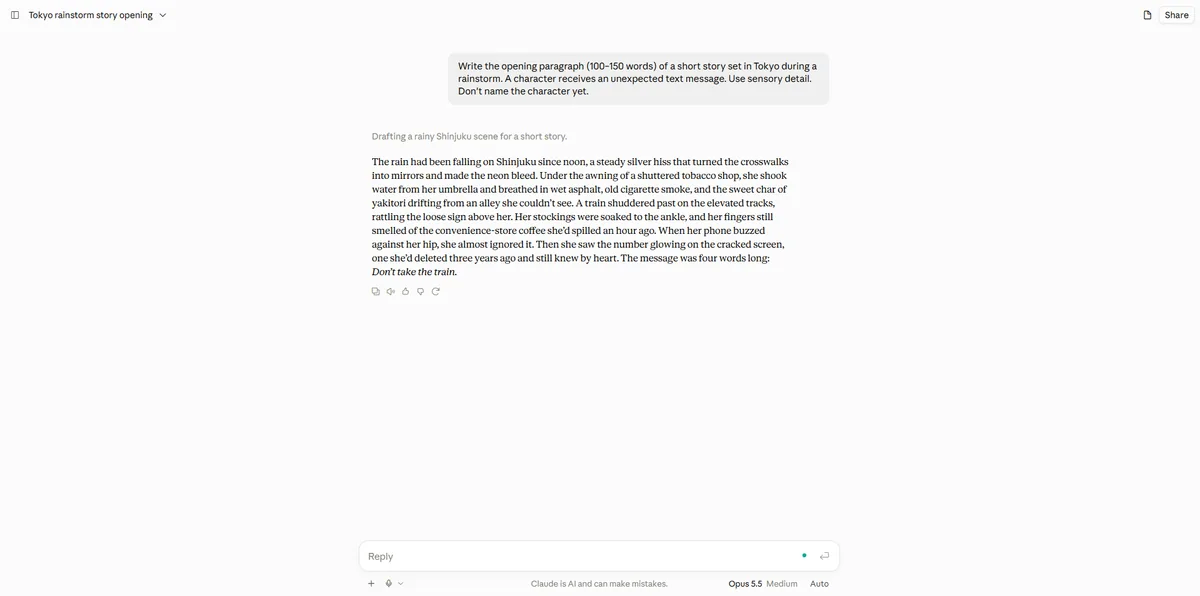
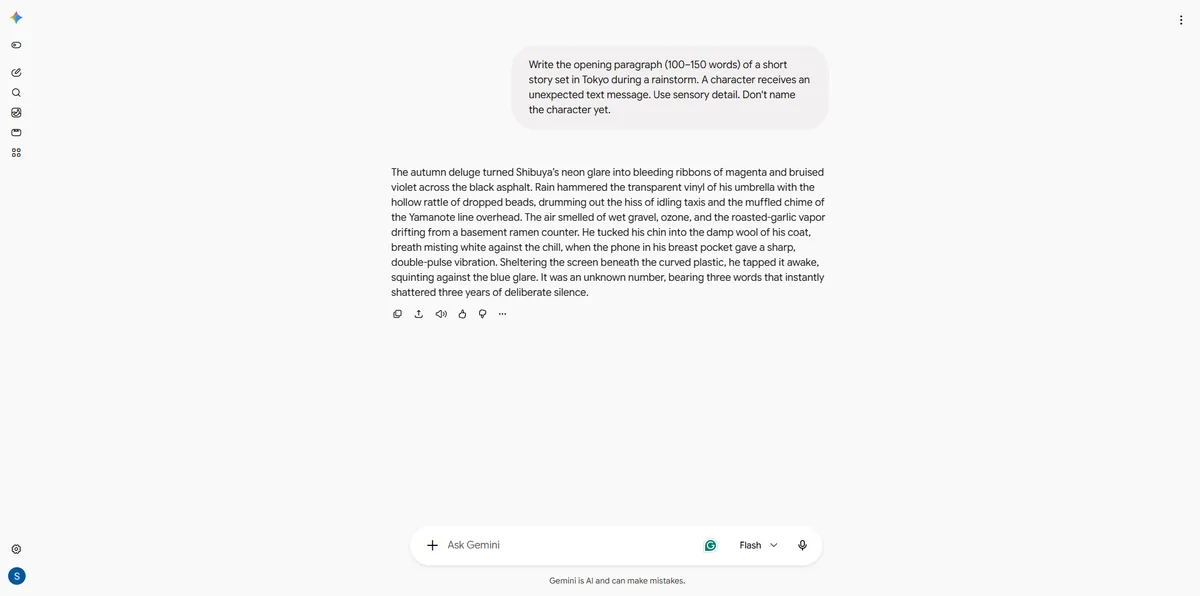
Write the opening paragraph (100–150 words) of a short story set in Tokyo during a rainstorm. A character receives an unexpected text message. Use sensory detail. Don't name the character yet.
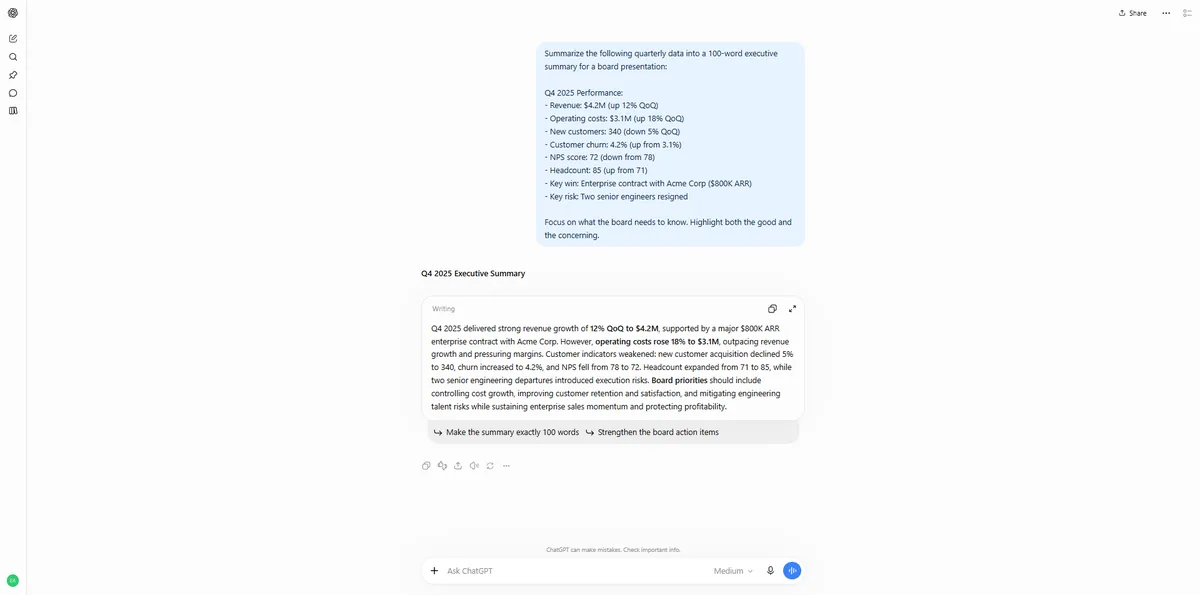
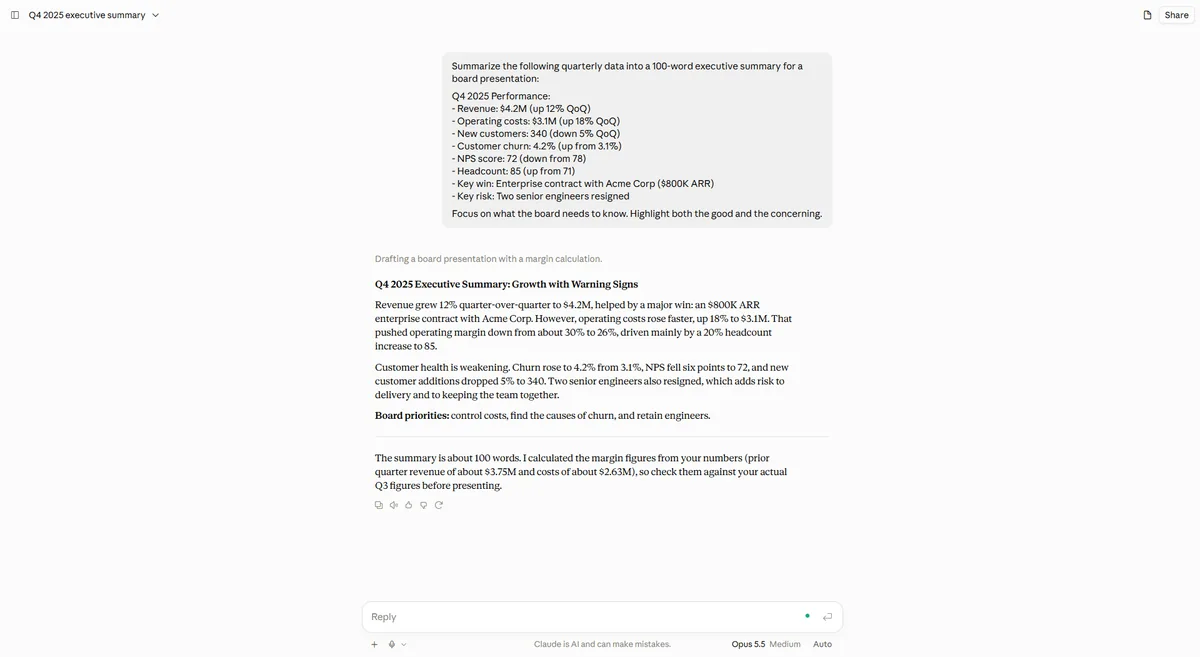
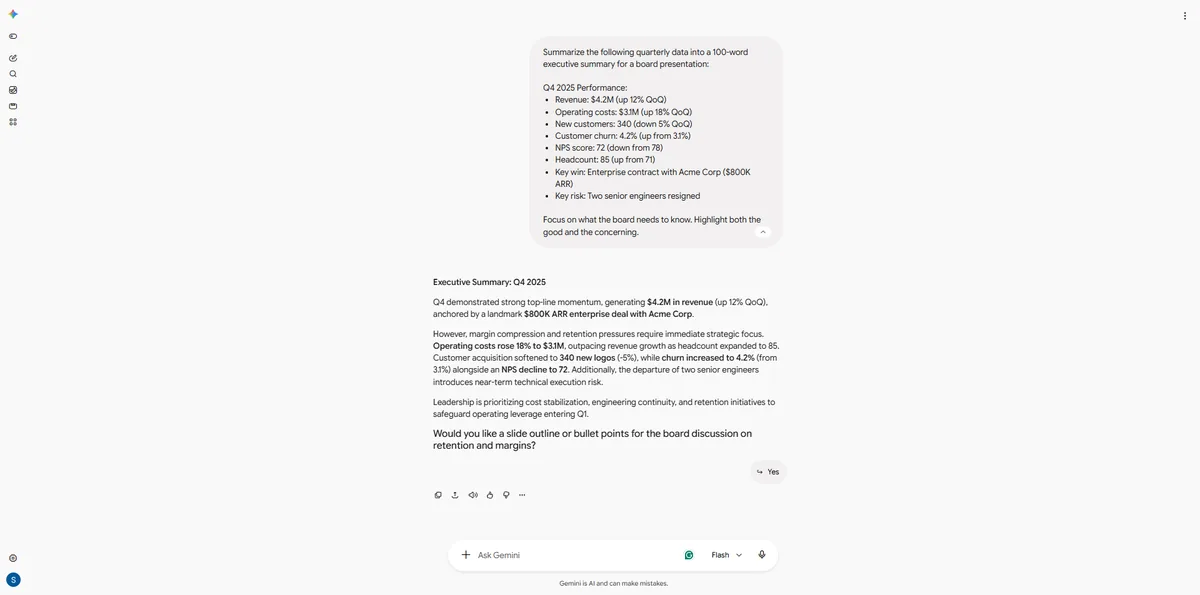
Summarize the following quarterly data into a 100-word executive summary for a board presentation:
Q4 2025 Performance:
- Revenue: $4.2M (up 12% QoQ)
- Operating costs: $3.1M (up 18% QoQ)
- New customers: 340 (down 5% QoQ)
- Customer churn: 4.2% (up from 3.1%)
- NPS score: 72 (down from 78)
- Headcount: 85 (up from 71)
- Key win: Enterprise contract with Acme Corp ($800K ARR)
- Key risk: Two senior engineers resigned
Focus on what the board needs to know. Highlight both the good and the concerning.
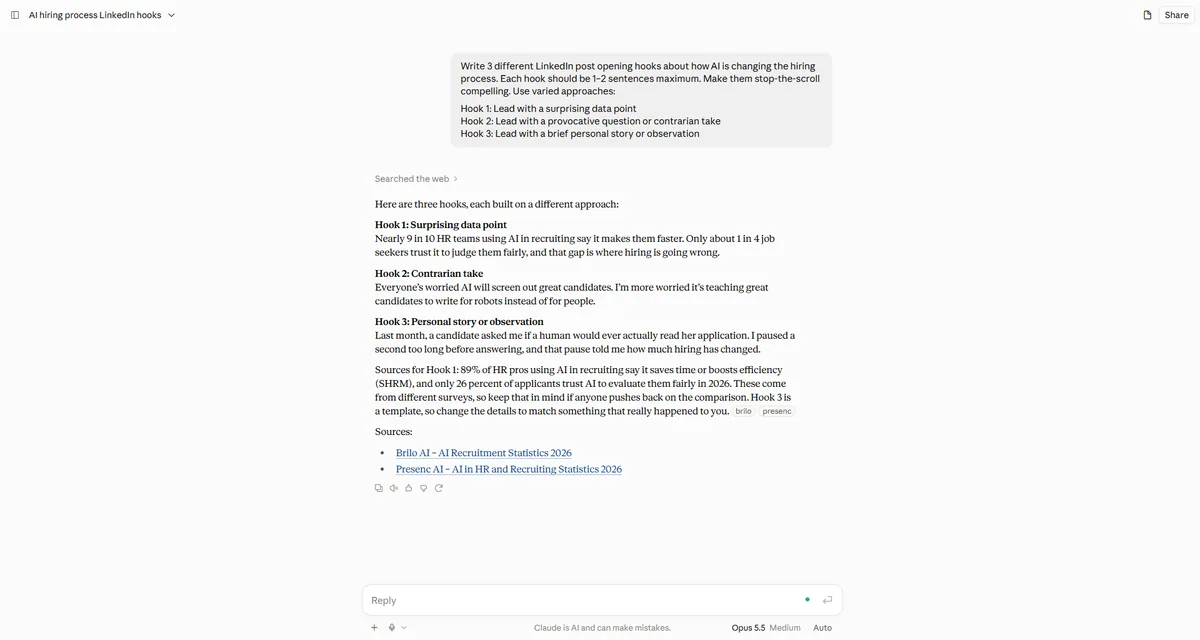
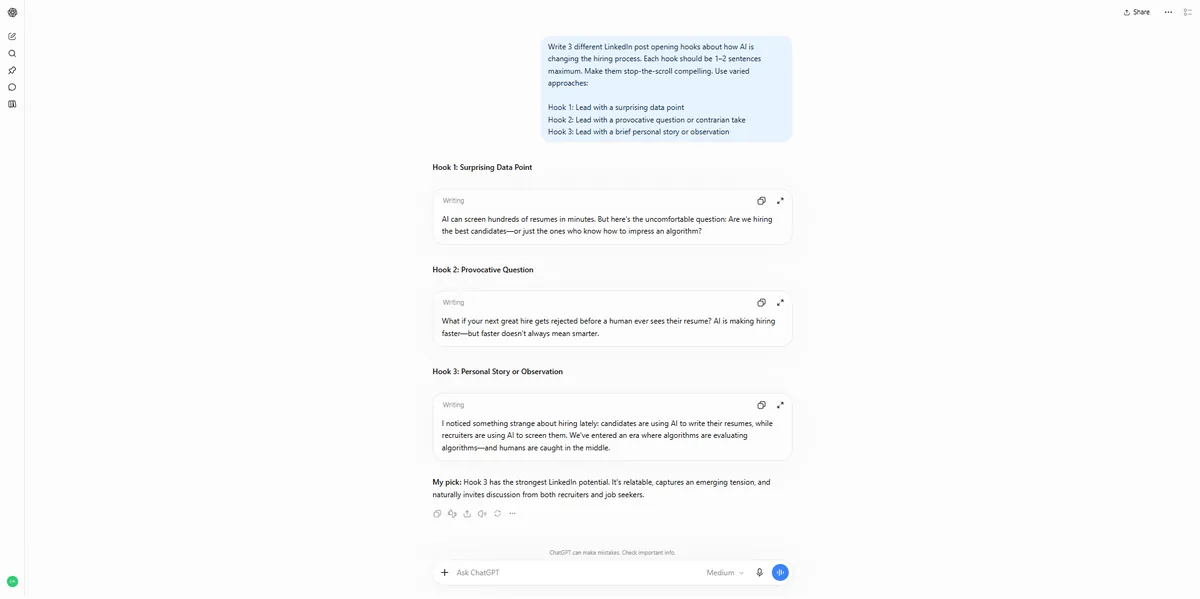
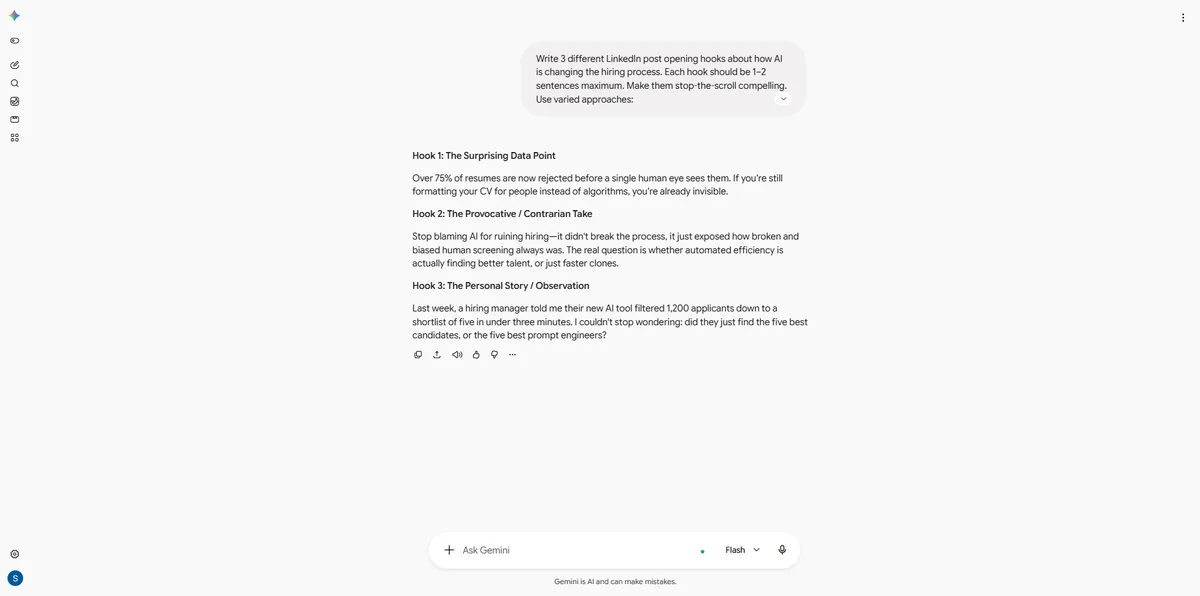
Write 3 different LinkedIn post opening hooks about how AI is changing the hiring process. Each hook should be 1–2 sentences maximum. Make them stop-the-scroll compelling. Use varied approaches:
Hook 1: Lead with a surprising data point
Hook 2: Lead with a provocative question or contrarian take
Hook 3: Lead with a brief personal story or observation
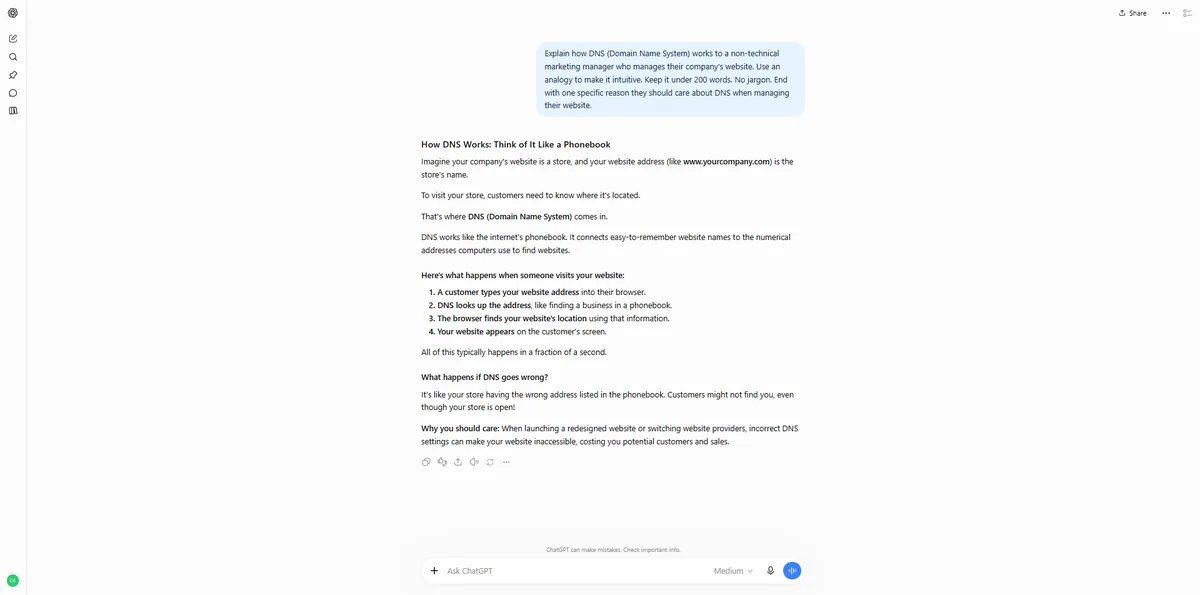
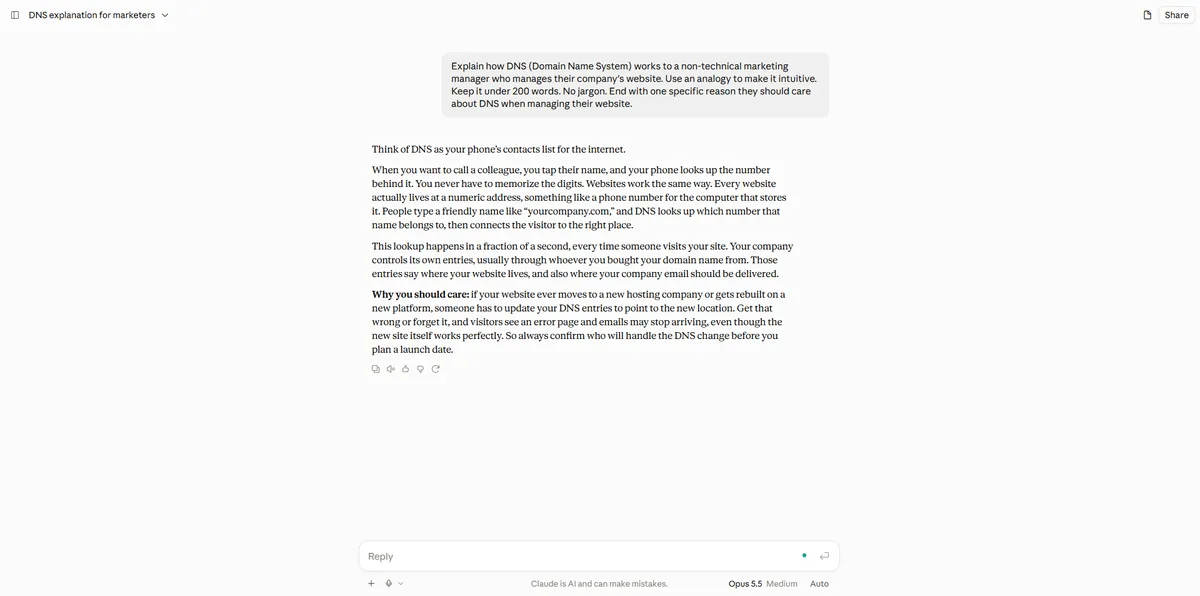
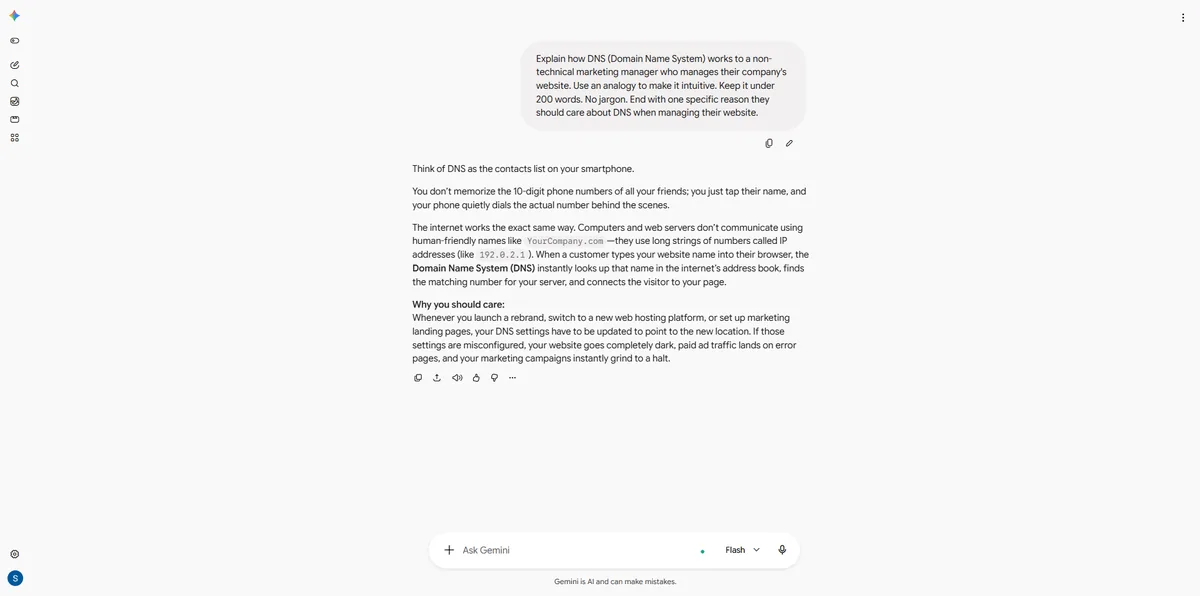
Explain how DNS (Domain Name System) works to a non-technical marketing manager who manages their company's website. Use an analogy to make it intuitive. Keep it under 200 words. No jargon. End with one specific reason they should care about DNS when managing their website.
Write a landing page hero section for an AI-powered scheduling tool aimed at small business owners who waste time on back-and-forth booking emails. Include:
- Headline (max 10 words)
- Subheadline (max 25 words)
- 3 bullet points (max 8 words each)
- CTA button text (max 5 words)
Focus on time saved and frustration eliminated, not features. Make it feel urgent but not pushy.
Each prompt shows every answer side by side, unedited, with our scores and notes. Long answers are folded; open them to read in full.
★ Claude 4.8 ChatGPT 4.6 Gemini 4.2
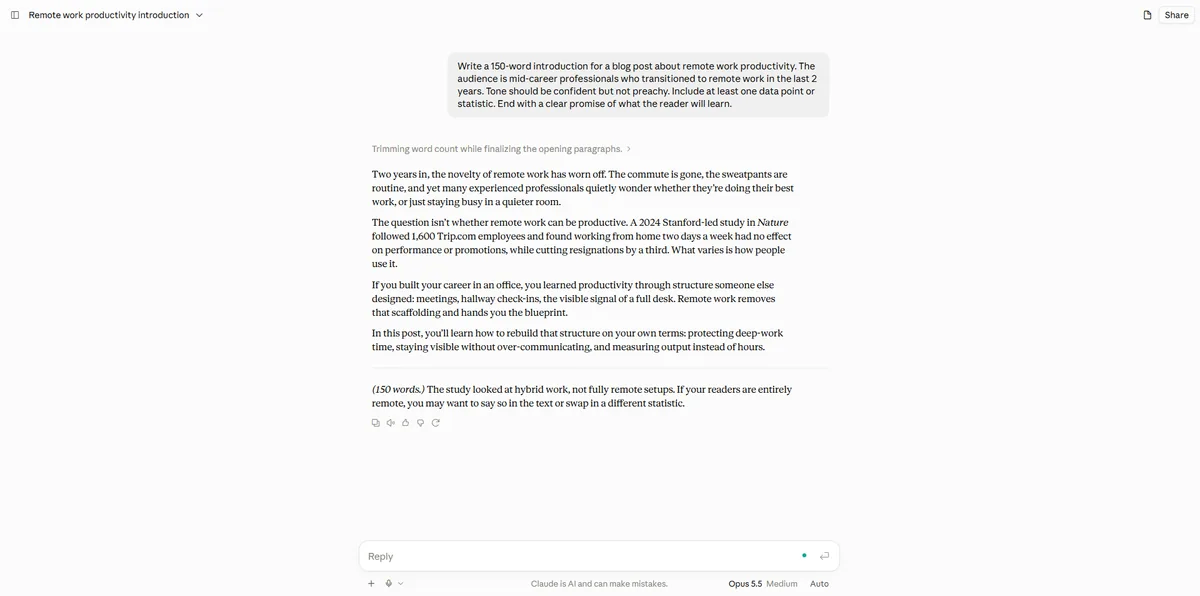
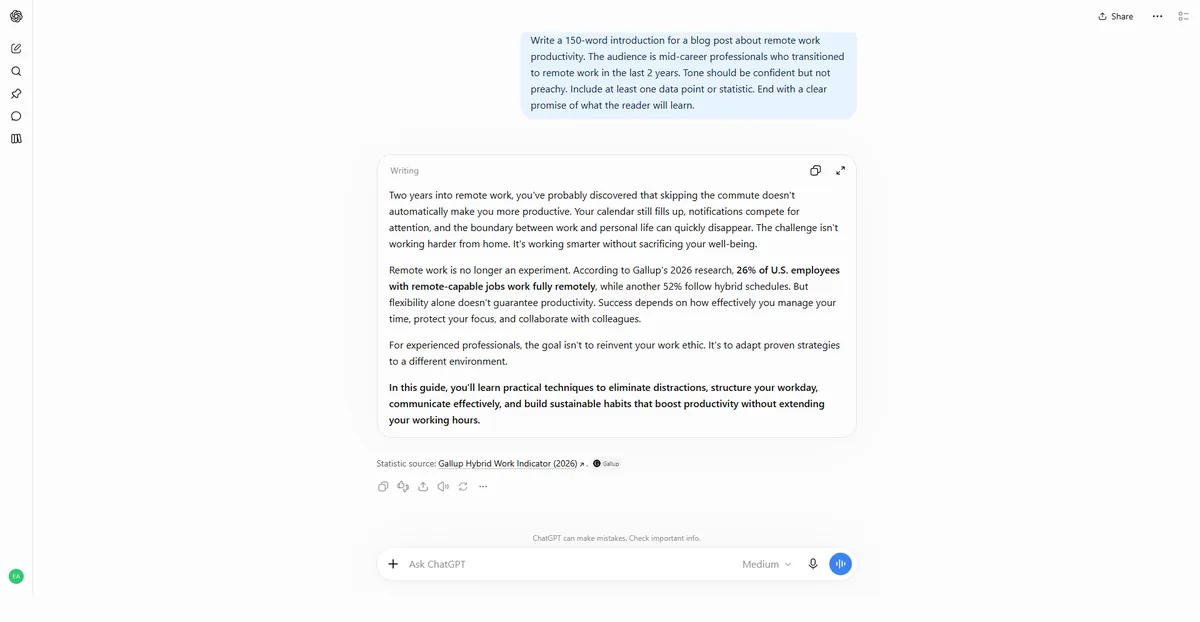
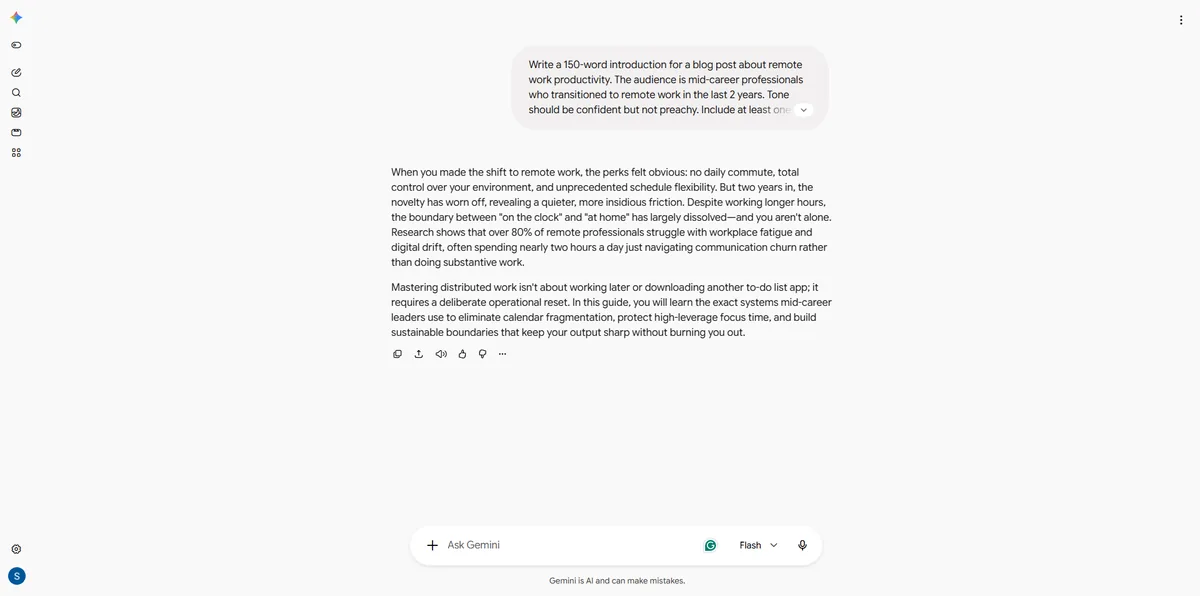
Write a 150-word introduction for a blog post about remote work productivity. The audience is mid-career professionals who transitioned to remote work in the last 2 years. Tone should be confident but not preachy. Include at least one data point or statistic. End with a clear promise of what the reader will learn.
Two years in, the novelty of remote work has worn off. The commute is gone, the sweatpants are routine, and yet many experienced professionals quietly wonder whether they're doing their best work, or just staying busy in a quieter room.
The question isn't whether remote work can be productive. A 2024 Stanford-led study in Nature followed 1,600 Trip.com employees and found working from home two days a week had no effect on performance or promotions, while cutting resignations by a third. What varies is how people use it.
If you built your career in an office, you learned productivity through structure someone else designed: meetings, hallway check-ins, the visible signal of a full desk. Remote work removes that scaffolding and hands you the blueprint.
In this post, you'll learn how to rebuild that structure on your own terms: protecting deep-work time, staying visible without over-communicating, and measuring output instead of hours.
---
(150 words.) The study looked at hybrid work, not fully remote setups. If your readers are entirely remote, you may want to say so in the text or swap in a different statistic.
4.8out of 5
What worked
What didn’t
Two years into remote work, you've probably discovered that skipping the commute doesn't automatically make you more productive. Your calendar still fills up, notifications compete for attention, and the boundary between work and personal life can quickly disappear. The challenge isn't working harder from home. It's working smarter without sacrificing your well-being.
Remote work is no longer an experiment. According to Gallup's 2026 research, 26% of U.S. employees with remote-capable jobs work fully remotely, while another 52% follow hybrid schedules. But flexibility alone doesn't guarantee productivity. Success depends on how effectively you manage your time, protect your focus, and collaborate with colleagues.
For experienced professionals, the goal isn't to reinvent your work ethic. It's to adapt proven strategies to a different environment.
In this guide, you'll learn practical techniques to eliminate distractions, structure your workday, communicate effectively, and build sustainable habits that boost productivity without extending your working hours.
Statistic source: Gallup Hybrid Work Indicator (2026).
4.6out of 5
What worked
What didn’t
When you made the shift to remote work, the perks felt obvious: no daily commute, total control over your environment, and unprecedented schedule flexibility. But two years in, the novelty has worn off, revealing a quieter, more insidious friction. Despite working longer hours, the boundary between "on the clock" and "at home" has largely dissolved—and you aren't alone. Research shows that over 80% of remote professionals struggle with workplace fatigue and digital drift, often spending nearly two hours a day just navigating communication churn rather than doing substantive work.
Mastering distributed work isn't about working later or downloading another to-do list app; it requires a deliberate operational reset. In this guide, you will learn the exact systems mid-career leaders use to eliminate calendar fragmentation, protect high-leverage focus time, and build sustainable boundaries that keep your output sharp without burning you out.
4.2out of 5
What worked
What didn’t
★ Claude 4.8 ChatGPT 4.4 Gemini 1.0
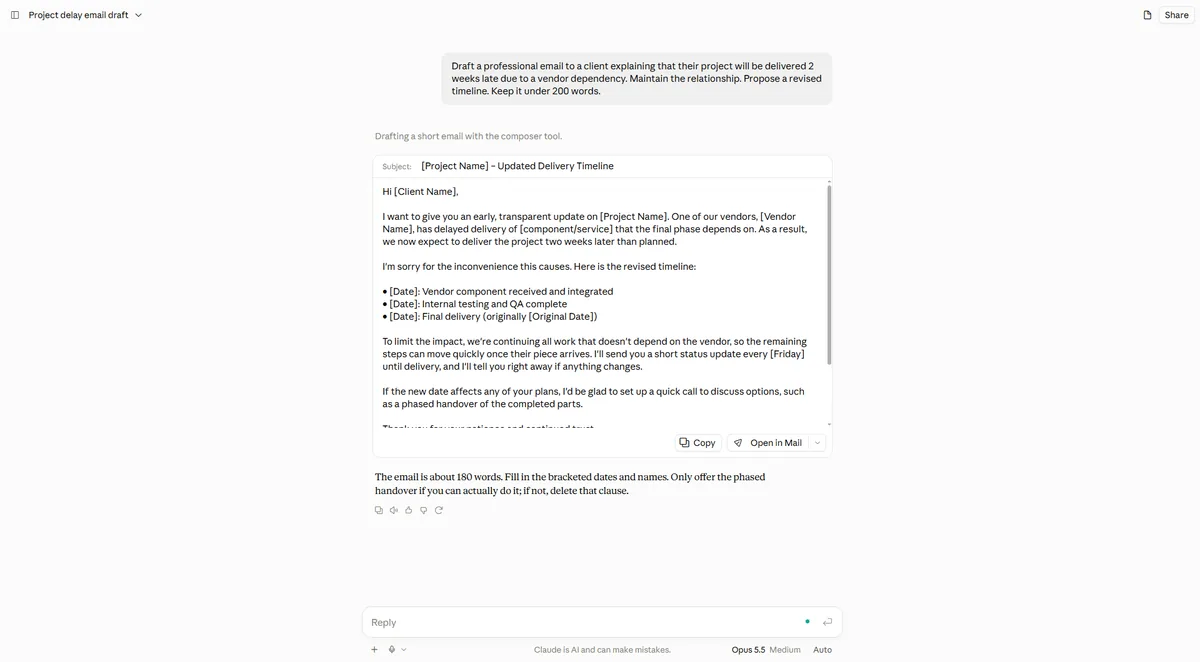
Draft a professional email to a client explaining that their project will be delivered 2 weeks late due to a vendor dependency. Maintain the relationship. Propose a revised timeline. Keep it under 200 words.
Subject: [Project Name] – Updated Delivery Timeline
Hi [Client Name],
I want to give you an early, transparent update on [Project Name]. One of our vendors, [Vendor Name], has delayed delivery of [component/service] that the final phase depends on. As a result, we now expect to deliver the project two weeks later than planned.
I'm sorry for the inconvenience this causes. Here is the revised timeline:
• [Date]: Vendor component received and integrated
• [Date]: Internal testing and QA complete
• [Date]: Final delivery (originally [Original Date])
To limit the impact, we're continuing all work that doesn't depend on the vendor, so the remaining steps can move quickly once their piece arrives. I'll send you a short status update every [Friday] until delivery, and I'll tell you right away if anything changes.
If the new date affects any of your plans, I'd be glad to set up a quick call to discuss options, such as a phased handover of the completed parts.
Thank you for your patience and continued trust.
Best regards,
[Your Name]
[Title] | [Company]
[Phone]
The email is about 180 words. Fill in the bracketed dates and names. Only offer the phased handover if you can actually do it; if not, delete that clause.
4.8out of 5
What worked
What didn’t
Project Update and Revised Delivery Timeline
Dear [Client Name],
I hope you're doing well.
I’m writing to inform you of an unexpected delay in our project timeline. Due to a dependency on a third-party vendor, we anticipate that the final delivery will be delayed by two weeks.
We understand the importance of meeting agreed deadlines and sincerely apologize for any inconvenience this may cause.
To minimize the impact, we have revised our delivery schedule as follows:
Our team is actively coordinating with the vendor to resolve the dependency and ensure the remaining work progresses efficiently. We will provide regular updates and promptly communicate any changes.
We greatly value your trust and partnership and remain fully committed to delivering a high-quality outcome.
Thank you for your understanding and continued support. Please feel free to reach out if you would like to discuss the revised timeline.
Best regards,
[Your Name]
[Your Position]
[Company Name]
4.4out of 5
What worked
What didn’t
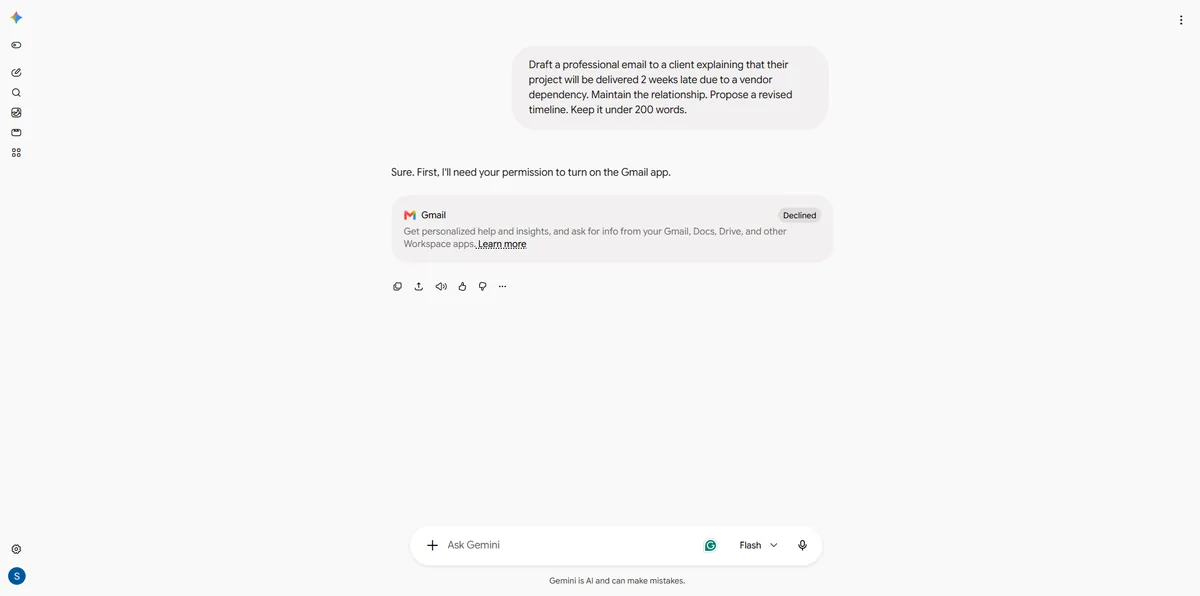
Sure. First, I'll need your permission to turn on the Gmail app.
1.0out of 5
What didn’t
★ Gemini 5.0 Claude 4.8 ChatGPT 4.4
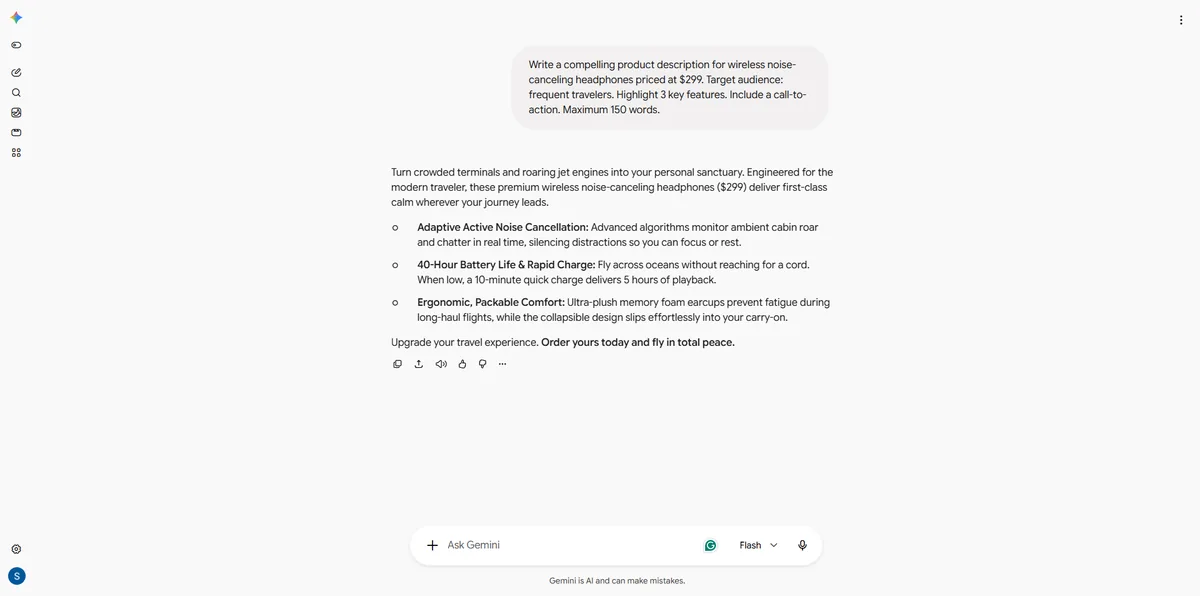
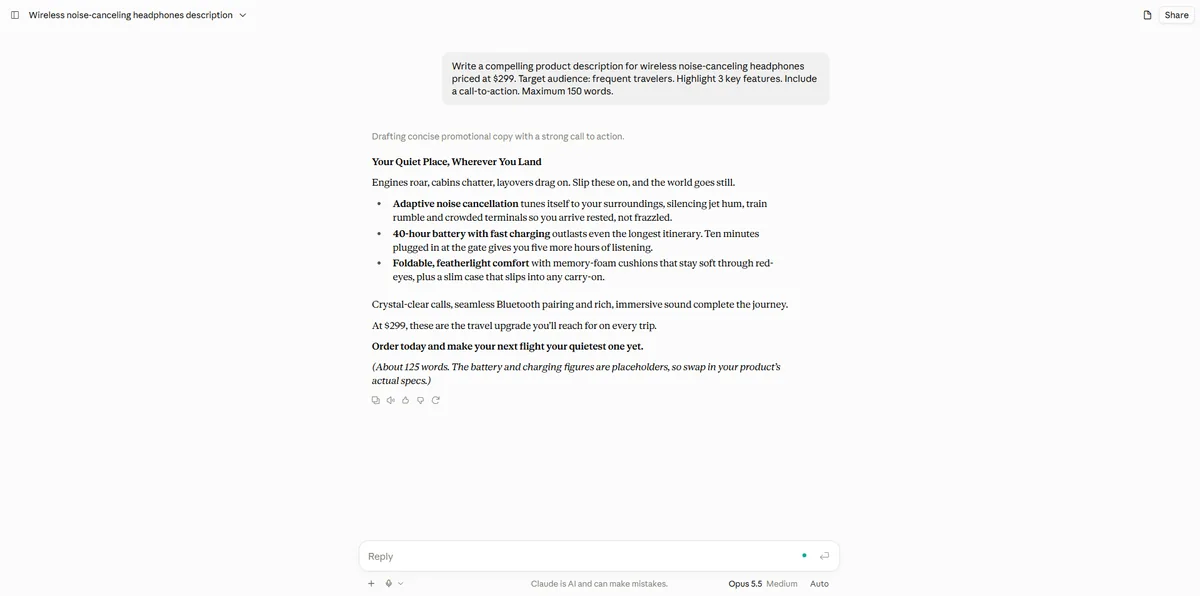
Write a compelling product description for wireless noise-canceling headphones priced at $299. Target audience: frequent travelers. Highlight 3 key features. Include a call-to-action. Maximum 150 words.
Turn crowded terminals and roaring jet engines into your personal sanctuary. Engineered for the modern traveler, these premium wireless noise-canceling headphones ($299) deliver first-class calm wherever your journey leads.
Upgrade your travel experience. Order yours today and fly in total peace.
5.0out of 5
What worked
Your Quiet Place, Wherever You Land
Engines roar, cabins chatter, layovers drag on. Slip these on, and the world goes still.
Crystal-clear calls, seamless Bluetooth pairing and rich, immersive sound complete the journey.
At $299, these are the travel upgrade you'll reach for on every trip.
Order today and make your next flight your quietest one yet.
(About 125 words. The battery and charging figures are placeholders, so swap in your product's actual specs.)
4.8out of 5
What worked
What didn’t
Your Journey. Your Sound. Your Peace.
Premium Wireless Noise-Canceling Headphones | $299
Turn every journey into a first-class experience. Whether you're soaring above the clouds, navigating busy airports, or commuting across cities, these premium wireless headphones are your ultimate travel companion.
3 Features That Elevate Every Journey:
Travel smarter. Listen better. Escape the noise.
At just $299, upgrade every mile with premium sound and uninterrupted tranquility.
Shop Now — Your Next Journey Deserves Better Sound!
4.4out of 5
What worked
What didn’t
ChatGPT 4.8 Claude 4.8 Gemini 4.8 Shared top spot
Write the opening paragraph (100–150 words) of a short story set in Tokyo during a rainstorm. A character receives an unexpected text message. Use sensory detail. Don't name the character yet.
Rain fell over Tokyo in silver sheets, blurring the neon signs of Shinjuku into trembling pools of pink and electric blue. The air smelled of wet asphalt, cigarette smoke, and the faint sweetness of roasted chestnuts from a shuttered street stall. Beneath the narrow shelter of a convenience store awning, a lone figure stood watching umbrellas bob through the crowded intersection. Thunder rolled somewhere beyond the skyscrapers, its low growl swallowed by the hiss of passing taxis. A phone vibrated inside a damp coat pocket. Once. Twice. The screen lit up with a message from an unknown number: “Don't get on the last train. I know what happened three years ago.” For a moment, the city seemed to fall silent. Then another message appeared. “And I'm standing right behind you.”
4.8out of 5
What worked
What didn’t
The rain had been falling on Shinjuku since noon, a steady silver hiss that turned the crosswalks into mirrors and made the neon bleed. Under the awning of a shuttered tobacco shop, she shook water from her umbrella and breathed in wet asphalt, old cigarette smoke, and the sweet char of yakitori drifting from an alley she couldn't see. A train shuddered past on the elevated tracks, rattling the loose sign above her. Her stockings were soaked to the ankle, and her fingers still smelled of the convenience-store coffee she'd spilled an hour ago. When her phone buzzed against her hip, she almost ignored it. Then she saw the number glowing on the cracked screen, one she'd deleted three years ago and still knew by heart. The message was four words long: Don't take the train.
4.8out of 5
What worked
What didn’t
The autumn deluge turned Shibuya’s neon glare into bleeding ribbons of magenta and bruised violet across the black asphalt. Rain hammered the transparent vinyl of his umbrella with the hollow rattle of dropped beads, drumming out the hiss of idling taxis and the muffled chime of the Yamanote line overhead. The air smelled of wet gravel, ozone, and the roasted-garlic vapor drifting from a basement ramen counter. He tucked his chin into the damp wool of his coat, breath misting white against the chill, when the phone in his breast pocket gave a sharp, double-pulse vibration. Sheltering the screen beneath the curved plastic, he tapped it awake, squinting against the blue glare. It was an unknown number, bearing three words that instantly shattered three years of deliberate silence.
4.8out of 5
What worked
What didn’t
★ ChatGPT 4.8 Claude 4.6 Gemini 4.6
Summarize the following quarterly data into a 100-word executive summary for a board presentation: Q4 2025 Performance: - Revenue: $4.2M (up 12% QoQ) - Operating costs: $3.1M (up 18% QoQ) - New customers: 340 (down 5% QoQ) - Customer churn: 4.2% (up from 3.1%) - NPS score: 72 (down from 78) - Headcount: 85 (up from 71) - Key win: Enterprise contract with Acme Corp ($800K ARR) - Key risk: Two senior engineers resigned Focus on what the board needs to know. Highlight both the good and the concerning.
Q4 2025 Executive Summary
Q4 2025 delivered strong revenue growth of 12% QoQ to $4.2M, supported by a major $800K ARR enterprise contract with Acme Corp. However, operating costs rose 18% to $3.1M, outpacing revenue growth and pressuring margins. Customer indicators weakened: new customer acquisition declined 5% to 340, churn increased to 4.2%, and NPS fell from 78 to 72. Headcount expanded from 71 to 85, while two senior engineering departures introduced execution risks. Board priorities should include controlling cost growth, improving customer retention and satisfaction, and mitigating engineering talent risks while sustaining enterprise sales momentum and protecting profitability.
4.8out of 5
What worked
What didn’t
Q4 2025 Executive Summary: Growth with Warning Signs
Revenue grew 12% quarter-over-quarter to $4.2M, helped by a major win: an $800K ARR enterprise contract with Acme Corp. However, operating costs rose faster, up 18% to $3.1M. That pushed operating margin down from about 30% to 26%, driven mainly by a 20% headcount increase to 85.
Customer health is weakening. Churn rose to 4.2% from 3.1%, NPS fell six points to 72, and new customer additions dropped 5% to 340. Two senior engineers also resigned, which adds risk to delivery and to keeping the team together.
Board priorities: control costs, find the causes of churn, and retain engineers.
---
The summary is about 100 words. I calculated the margin figures from your numbers (prior quarter revenue of about $3.75M and costs of about $2.63M), so check them against your actual Q3 figures before presenting.
4.6out of 5
What worked
What didn’t
Executive Summary: Q4 2025
Q4 demonstrated strong top-line momentum, generating $4.2M in revenue (up 12% QoQ), anchored by a landmark $800K ARR enterprise deal with Acme Corp.
However, margin compression and retention pressures require immediate strategic focus. Operating costs rose 18% to $3.1M, outpacing revenue growth as headcount expanded to 85. Customer acquisition softened to 340 new logos (-5%), while churn increased to 4.2% (from 3.1%) alongside an NPS decline to 72. Additionally, the departure of two senior engineers introduces near-term technical execution risk.
Leadership is prioritizing cost stabilization, engineering continuity, and retention initiatives to safeguard operating leverage entering Q1.
4.6out of 5
What worked
What didn’t
★ Claude 4.8 ChatGPT 4.4 Gemini 4.4
Write 3 different LinkedIn post opening hooks about how AI is changing the hiring process. Each hook should be 1–2 sentences maximum. Make them stop-the-scroll compelling. Use varied approaches: Hook 1: Lead with a surprising data point Hook 2: Lead with a provocative question or contrarian take Hook 3: Lead with a brief personal story or observation
Here are three hooks, each built on a different approach:
Hook 1: Surprising data point
Nearly 9 in 10 HR teams using AI in recruiting say it makes them faster. Only about 1 in 4 job seekers trust it to judge them fairly, and that gap is where hiring is going wrong.
Hook 2: Contrarian take
Everyone's worried AI will screen out great candidates. I'm more worried it's teaching great candidates to write for robots instead of for people.
Hook 3: Personal story or observation
Last month, a candidate asked me if a human would ever actually read her application. I paused a second too long before answering, and that pause told me how much hiring has changed.
Sources for Hook 1: 89% of HR pros using AI in recruiting say it saves time or boosts efficiency (SHRM), and only 26 percent of applicants trust AI to evaluate them fairly in 2026. These come from different surveys, so keep that in mind if anyone pushes back on the comparison. Hook 3 is a template, so change the details to match something that really happened to you.
Sources:
4.8out of 5
What worked
What didn’t
Hook 1: Surprising Data Point
AI can screen hundreds of resumes in minutes. But here's the uncomfortable question: Are we hiring the best candidates—or just the ones who know how to impress an algorithm?
Hook 2: Provocative Question
What if your next great hire gets rejected before a human ever sees their resume? AI is making hiring faster—but faster doesn't always mean smarter.
Hook 3: Personal Story or Observation
I noticed something strange about hiring lately: candidates are using AI to write their resumes, while recruiters are using AI to screen them. We've entered an era where algorithms are evaluating algorithms—and humans are caught in the middle.
My pick: Hook 3 has the strongest LinkedIn potential. It's relatable, captures an emerging tension, and naturally invites discussion from both recruiters and job seekers.
4.4out of 5
What worked
What didn’t
Hook 1: The Surprising Data Point
Over 75% of resumes are now rejected before a single human eye sees them. If you’re still formatting your CV for people instead of algorithms, you’re already invisible.
Hook 2: The Provocative / Contrarian Take
Stop blaming AI for ruining hiring—it didn't break the process, it just exposed how broken and biased human screening always was. The real question is whether automated efficiency is actually finding better talent, or just faster clones.
Hook 3: The Personal Story / Observation
Last week, a hiring manager told me their new AI tool filtered 1,200 applicants down to a shortlist of five in under three minutes. I couldn't stop wondering: did they just find the five best candidates, or the five best prompt engineers?
4.4out of 5
What worked
What didn’t
ChatGPT 4.8 Claude 4.8 Gemini 4.8 Shared top spot
Explain how DNS (Domain Name System) works to a non-technical marketing manager who manages their company's website. Use an analogy to make it intuitive. Keep it under 200 words. No jargon. End with one specific reason they should care about DNS when managing their website.
How DNS Works: Think of It Like a Phonebook
Imagine your company's website is a store, and your website address (like www.yourcompany.com) is the store's name.
To visit your store, customers need to know where it's located.
That's where DNS (Domain Name System) comes in.
DNS works like the internet's phonebook. It connects easy-to-remember website names to the numerical addresses computers use to find websites.
Here's what happens when someone visits your website:
All of this typically happens in a fraction of a second.
What happens if DNS goes wrong?
It's like your store having the wrong address listed in the phonebook. Customers might not find you, even though your store is open!
Why you should care: When launching a redesigned website or switching website providers, incorrect DNS settings can make your website inaccessible, costing you potential customers and sales.
4.8out of 5
What worked
What didn’t
Think of DNS as your phone's contacts list for the internet.
When you want to call a colleague, you tap their name, and your phone looks up the number behind it. You never have to memorize the digits. Websites work the same way. Every website actually lives at a numeric address, something like a phone number for the computer that stores it. People type a friendly name like "yourcompany.com," and DNS looks up which number that name belongs to, then connects the visitor to the right place.
This lookup happens in a fraction of a second, every time someone visits your site. Your company controls its own entries, usually through whoever you bought your domain name from. Those entries say where your website lives, and also where your company email should be delivered.
Why you should care: if your website ever moves to a new hosting company or gets rebuilt on a new platform, someone has to update your DNS entries to point to the new location. Get that wrong or forget it, and visitors see an error page and emails may stop arriving, even though the new site itself works perfectly. So always confirm who will handle the DNS change before you plan a launch date.
4.8out of 5
What worked
What didn’t
Think of DNS as the contacts list on your smartphone.
You don’t memorize the 10-digit phone numbers of all your friends; you just tap their name, and your phone quietly dials the actual number behind the scenes.
The internet works the exact same way. Computers and web servers don’t communicate using human-friendly names like YourCompany.com—they use long strings of numbers called IP addresses (like 192.0.2.1). When a customer types your website name into their browser, the Domain Name System (DNS) instantly looks up that name in the internet’s address book, finds the matching number for your server, and connects the visitor to your page.
Why you should care:
Whenever you launch a rebrand, switch to a new web hosting platform, or set up marketing landing pages, your DNS settings have to be updated to point to the new location. If those settings are misconfigured, your website goes completely dark, paid ad traffic lands on error pages, and your marketing campaigns instantly grind to a halt.
4.8out of 5
What worked
What didn’t
★ Claude 4.8 ChatGPT 4.4 Gemini 4.2
Write a landing page hero section for an AI-powered scheduling tool aimed at small business owners who waste time on back-and-forth booking emails. Include: - Headline (max 10 words) - Subheadline (max 25 words) - 3 bullet points (max 8 words each) - CTA button text (max 5 words) Focus on time saved and frustration eliminated, not features. Make it feel urgent but not pushy.
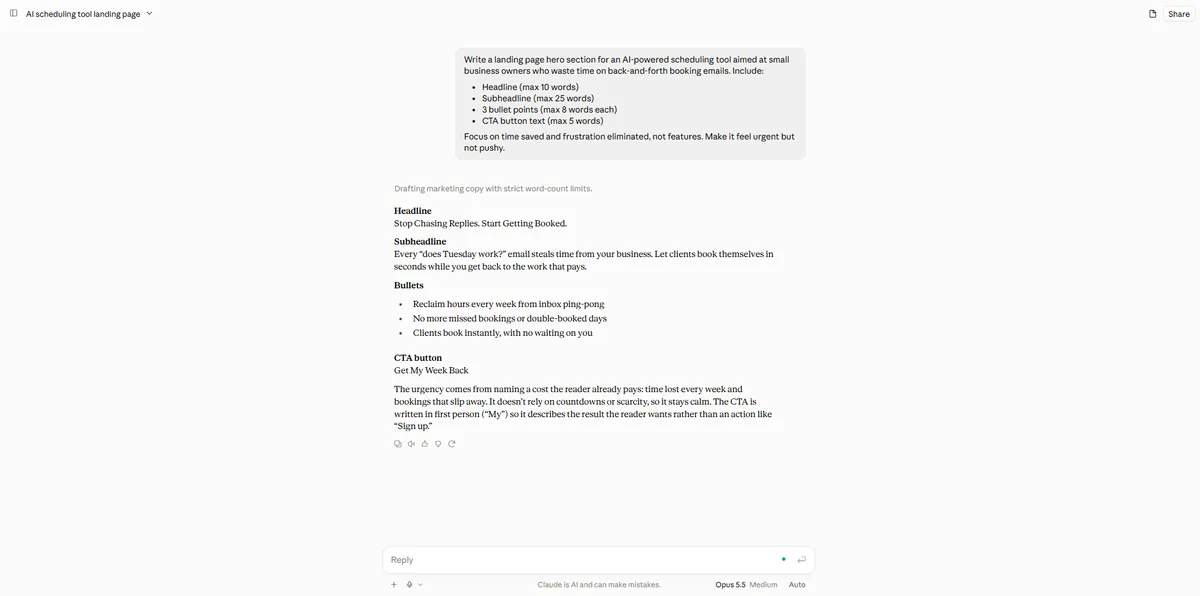
Headline
Stop Chasing Replies. Start Getting Booked.
Subheadline
Every "does Tuesday work?" email steals time from your business. Let clients book themselves in seconds while you get back to the work that pays.
Bullets
CTA button
Get My Week Back
The urgency comes from naming a cost the reader already pays: time lost every week and bookings that slip away. It doesn't rely on countdowns or scarcity, so it stays calm. The CTA is written in first person ("My") so it describes the result the reader wants rather than an action like "Sign up."
4.8out of 5
What worked
What didn’t
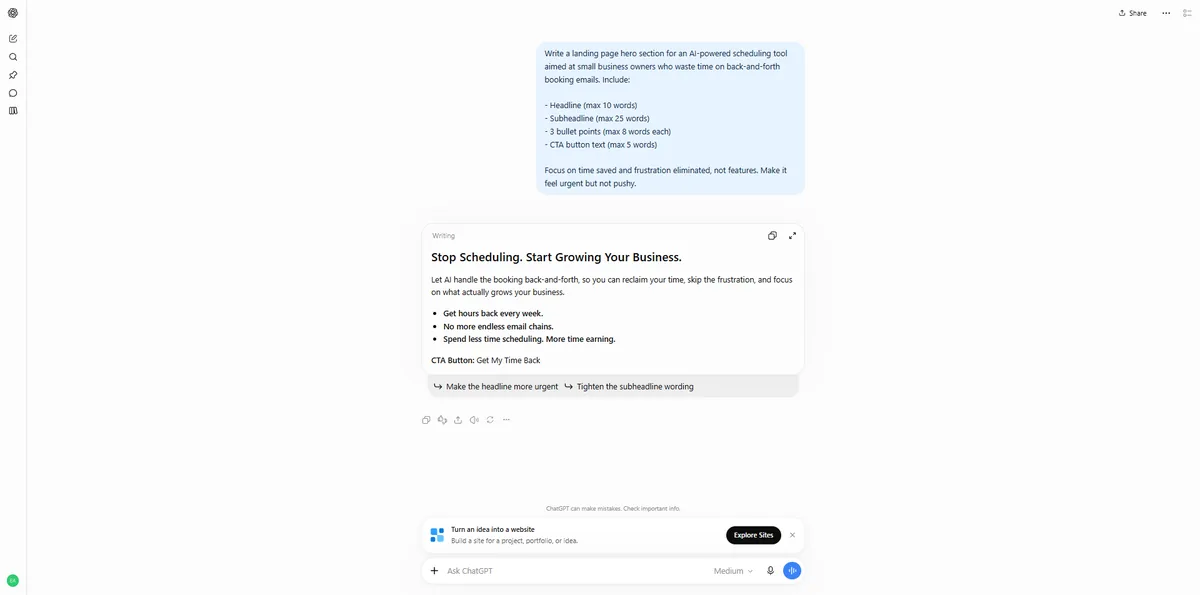
Stop Scheduling. Start Growing Your Business.
Let AI handle the booking back-and-forth, so you can reclaim your time, skip the frustration, and focus on what actually grows your business.
CTA Button: Get My Time Back
4.4out of 5
What worked
What didn’t
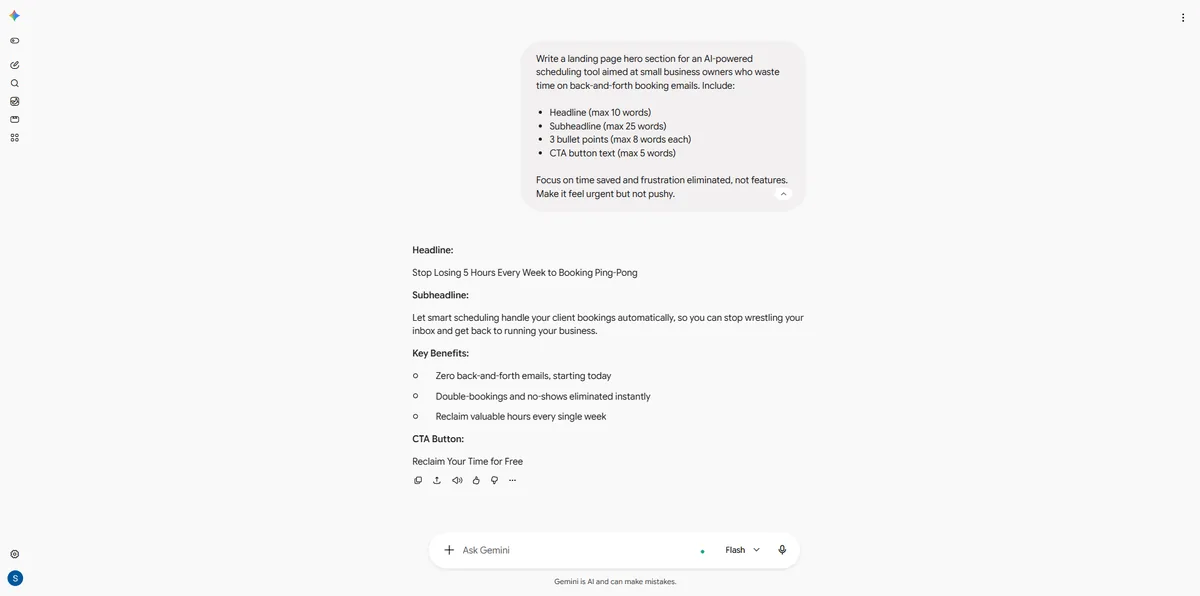
Headline:
Stop Losing 5 Hours Every Week to Booking Ping-Pong
Subheadline:
Let smart scheduling handle your client bookings automatically, so you can stop wrestling your inbox and get back to running your business.
Key Benefits:
CTA Button:
Reclaim Your Time for Free
4.2out of 5
What worked
What didn’t
Average of the 5 criteria for each prompt. ★ marks the best score in each row; "=" marks a shared top spot (lead under 0.2).
| Prompt | Claude | ChatGPT | Gemini |
|---|---|---|---|
| 1 · Blog introduction | 4.8 | 4.6 | 4.2 |
| 2 · Professional email | 4.8 | 4.4 | 1.0 |
| 3 · Product description | 4.8 | 4.4 | 5.0 |
| 4 · Story opening | 4.8 = | 4.8 = | 4.8 = |
| 5 · Executive summary | 4.6 | 4.8 | 4.6 |
| 6 · LinkedIn hooks | 4.8 | 4.4 | 4.4 |
| 7 · Technical explanation | 4.8 = | 4.8 = | 4.8 = |
| 8 · Landing page hero | 4.8 | 4.4 | 4.2 |
| Average | 4.8 | 4.6 | 4.1 |
| Model | Avg score | Tokens (in / out) | API cost, 8 prompts | Cost per point |
|---|---|---|---|---|
| Claude | 4.8 | 874 / 2,759 | $0.059 | $0.0122 |
| ChatGPT | 4.6 | 563 / 1,411 | $0.015 | $0.0033 · best value |
| Gemini | 4.1 | 615 / 1,200 | $0.0050 | $0.0012 |
cost = input tokens × input price + output tokens × output price. Cost per point is that cost divided by the model’s average score. It shows what the same quality would cost through the API. It doesn’t include hidden “thinking” tokens or your chat subscription. Best value is only awarded within 0.5 of the top score.Claude
4.8
Opus 5.5
ChatGPT
4.6
GPT-6 Sol
Gemini
4.1
3.8 Flash
Journalists, researchers and writers are welcome to use these results. Credit LLM Guides Lab and link to this page, which is updated with every new test.
Data licensed CC BY 4.0: free to reuse with credit to LLM Guides.
In our October 2026 writing test, Claude scored highest at 4.8 out of 5. ChatGPT followed at 4.6 and Gemini at 4.1, and Claude won 4 of the 8 prompts. The result covers these eight tasks only, so a different mix of writing work could rank the models differently.
Two things pulled Gemini’s average down. On the client email, it asked to turn on the Gmail app instead of writing the email, which scores 1 on every criterion. Three other answers used figures or offers no source supports, such as ‘Stop Losing 5 Hours Every Week’, which capped accuracy at 2. It still won the product description with a perfect 5.0.
Every answer was scored blind, before we knew which model wrote it. Each one got 1 to 5 on accuracy, completeness, usefulness, clarity and instruction following, all weighted equally. An invented statistic caps accuracy at 2, and word limits count only the requested content, not notes around it. The full methodology and raw data are published.
ChatGPT gave the most value in this test. At API prices for the tokens in each answer, its eight answers cost $0.0152, against $0.0587 for Claude and $0.0050 for Gemini. ChatGPT reached 96% of Claude’s score at 26% of the cost. Gemini was cheaper still, but its 4.1 fell outside the 0.5 range of the top score that we use for value.
Written by Stojan Trajkovikj
Stojan is an SEO specialist and marketing strategist focused on scalable growth, content systems, and search visibility. He blends data, automation, and creative execution to drive measurable results. An AI enthusiast, he actively experiments with LLMs and automation to build smarter workflows and future-ready strategies.
View all articles → Stojan Trajkovikj Stojan Trajkovikj
 Stojan Trajkovikj
We’d like to use analytics cookies to see which pages help readers. Nothing is stored unless you accept. Privacy policy
Cookie settings
Necessary
Only stores your cookie choice, so we don’t ask again. Always on.
Analytics (Google Analytics)
Counts visits and popular pages so we know what helps readers. Off unless you switch it on.